Avoiding high data costs during the World Cup in the United States, Canada, and Mexico

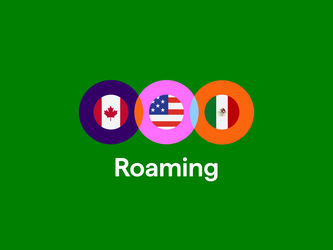
The 2026 FIFA soccer World Cup takes place in three countries: the United States, Canada, and Mexico. Traveling to watch the matches live in the stadium is a fantastic experience, but a challenge for your mobile data. All three countries are outside the EU, which means your Dutch plan isn't valid there. In this article, you'll read exactly how to prevent high roaming costs and which option fits your trip best.
Mobile data during the World Cup 2026
From June 11 through July 19, 2026, 48 countries will compete for the world title. The tournament will be played in 16 host cities, spread across the United States, Canada, and Mexico. As all matches are played outside the EU, there's no European price protection for roaming.
Are you traveling across these countries as a superfan to attend the matches? Then pay close attention: your standard plan doesn't work there. Without preparation, mobile data costs can add up quickly, even with just a few MB used. Luckily, there are alternatives: Simyo's Buitenlandbundels , our international data bundles, or a local eSIM.
What do you need to know about the World Cup 2026 in the US, Canada, and Mexico?
The tournament takes place in 11 stadiums in the US (including the final at MetLife Stadium), 2 in Canada (Toronto and Vancouver), and 3 in Mexico (Mexico City, Guadalajara, Monterrey). Most Dutch fans are traveling to the United States, where most of the matches will be played. Canada and Mexico are also possible destinations. Wherever you go: you'll need mobile data for navigation, digital tickets via the FIFA app, taxi apps, such as Uber and Lyft, and staying in touch via WhatsApp with friends and family.
Data options per country during the World Cup 2026
|
Country |
Roaming |
Points of attention |
Best option |
|
United States |
Outside the EU |
High roaming rates for your Dutch plan: € 5 per MB |
A Simyo Buitenlandbundel or a local eSIM |
|
Canada |
Outside the EU |
High roaming rates for your Dutch plan: € 5 per MB |
A Simyo Buitenlandbundel or a local eSIM |
|
Mexico |
Outside the EU |
High roaming rates for your Dutch plan: € 5 per MB |
A local eSIM |
Mobile data in the United States: what do you need to keep in mind?
78 of the 104 World Cup matches will be played in the United States, including the final. If you're traveling to North America for the World Cup, chances are you're going to the United States. Don't forget that North America is in Zone 2 for roaming . Without an extra bundle for your Simyo plan, you'll pay € 5 per MB. For the United States, you can buy an international data bundle. This extra data bundle is valid for 31 days and stops automatically when it runs out.
How do you order an international data bundle for the United States?
- Upon arrival, you'll receive a text message with instructions. The text message explains which data bundles you can choose from and how to activate them.
- Text 'VSCAN 10 AAN' to 1330 for 10 GB or 'VSCAN 20 AAN' to 1330 for a bundle of 20 GB.
- You'll receive a confirmation by text message and email as soon as your Buitenlandbundel is activated.
Go to the Buitenlandbundels page for more information about our international options.
Other options in the United States
- Local eSIM: Activate a local eSIM or choose an international eSIM provider. This way, you're online immediately after landing. And it saves you the hassle of switching SIM cards if you don't have a dual SIM phone . Make sure to check in advance whether your phone supports eSIM .
- Local SIM card: Buy a ( Prepaid ) SIM card after arrival, for example, at a supermarket.
Mobile data in Canada: what do you need to know?
Toronto and Vancouver are the most important cities to visit in Canada during the World Cup. If you're taking a side trip from the United States and already have a Buitenlandbundel, you're in luck: our Buitenlandbundel for the US also works in Canada.
How do you order a Buitenlandbundel for Canada?
- Upon arrival, you'll receive a text message with instructions. The text message explains which data bundles you can choose from and how to activate them.
- Text 'VSCAN 10 AAN' to 1330 for 10 GB or 'VSCAN 20 AAN' to 1330 for a bundle of 20 GB.
- You'll receive a confirmation by text message and email as soon as your Buitenlandbundel is activated.
Go to our Buitenlandbundels page for more information about our solutions for Canada.
Other options in Canada
In addition to the Buitenlandbundel, you can easily buy an eSIM or local SIM card, just like in the US. Instead of separate eSIMs, you can buy a combination bundle for the US and Canada from some eSIM providers.
Mobile data in Mexico: what should you look out for?
Are you traveling to Mexico? You can't use a Buitenlandbundel there, but you can activate a local eSIM or physical SIM card to stay online anyway. Are you buying a combination SIM card for Canada and the United States from another provider? Note that not every combination bundle automatically covers Mexico, too.
Roaming costs outside the EU: how to prevent surprises
Within the EU, 'roam like at home' applies. That means your plan works the same in other EU countries within Zone 1 , just like you're used to in the Netherlands. But your Dutch plan won't work in the US, Canada, and Mexico. That means you pay extra for every MB you use there. For Simyo, you pay € 5 per MB in the US, Canada and Mexico. That's why we don't recommend using your Dutch plan in this area. It's best to turn off data roaming if you haven't activated a local bundle.
Watching World Cup matches on your phone: how much data do you need?
Are you staying in the Netherlands for the World Cup? Below you can see how much data you need for one match. For more information, read our article on how much data it costs to watch a World Cup match on your phone .
|
Quality |
Resolution |
Per match (around 2 hours) |
|
SD / Low |
480p |
1.4 to 2.2 GB |
|
HD |
720p |
3 to 5 GB |
|
Full HD |
1080p |
6 to 9 GB |
|
4K / UHD |
2160p |
14 to 30 GB |
Wi-Fi, roaming, a local SIM, or an eSIM: what do you choose?
The 2026 World Cup in the US, Canada, and Mexico will be an unforgettable adventure. Unfortunately, your mobile bill can be unforgettable too if you're not careful. Because you're traveling outside the EU, your normal plans don't apply.
- Wi-Fi: Wi-Fi: useful when you have access to a secure and stable network, like in your hotel. Public Wi-Fi is unsafe for banking, and stadium Wi-Fi gets overloaded quickly. Don't rely on it alone.
- Roaming via Buitenlandbundels: For your trip to the US and Canada, you can buy a Buitenlandbundel from Simyo. That's an extra data bundle that you add to your Dutch plan. You can't use it to make calls, but it prevents high out-of-bundle costs. Plus, it allows you to keep using your familiar Mijn Simyo account.
- Local SIM card: Use a local, physical SIM card to replace your Dutch SIM card. You'll get a new number and won't pay any out-of-bundle costs. Note: keep your Dutch SIM card safe for the trip back.
- Local eSIM: does your phone support eSIM ? Then you can also install a local eSIM and use data and make calls at local rates. You don't have to remove your own SIM card, which makes the switch extra easy.
Tips to save data during your trip
- Arrange a Buitenlandbundel or a local eSIM in advance.
- Download offline maps in Google Maps for all cities you're traveling to.
- Turn off automatic updates and cloud backups, or set them to only run over Wi-Fi.
- Turn off autoplay for videos in Instagram, TikTok, and Facebook.
- Set streaming apps to a lower resolution.
- Activate data limits and warnings on your iPhone or Android, or via the Mijn Simyo app .
- Arrange any digital matters, like tickets and reservations, in advance. This way, you won't have to depend on unstable Wi-Fi networks on the road.
Checklist before departure to the World Cup
- Choose a Buitenlandbundel or eSIM for the US and Canada, or a local eSIM for Mexico
- Check if your phone supports eSIM
- Set data limits on your device or set a dataplafond (data cap)
- Download the FIFA app, public transit apps per region, and offline maps
- Adjust app settings and only run updates over Wi-Fi
- Keep important information available offline
Questions? We've got answers
What do you need to know about mobile data during the World Cup 2026?
What do you need to know about mobile data during the World Cup 2026?
The United States, Canada, and Mexico are all outside the EU. Your standard plan doesn't apply there. Arrange a Buitenlandbundel , eSIM, or physical SIM card in advance.
Can you use your Dutch plan in America, Canada or Mexico?
Can you use your Dutch plan in America, Canada or Mexico?
You can't use your normal Dutch plan outside the EU. At Simyo, you can buy a Buitenlandbundel for the US and Canada for data.
Is roaming expensive in the US, Canada, and Mexico?
Is roaming expensive in the US, Canada, and Mexico?
Yes, internet use in the US, Canada, and Mexico isn't covered by your normal internet bundle. You'll pay € 5 per MB if you don't use a local bundle.
Should data roaming be turned on or off during the World Cup?
Should data roaming be turned on or off during the World Cup?
Only turn on data roaming if you've bought a suitable Buitenlandbundel or local eSIM.
How much data does it cost to watch a World Cup match on your phone?
How much data does it cost to watch a World Cup match on your phone?
A HD (720p) match costs around 3 to 5 GB. At Full HD (1080p), it's 6 to 9 GB. Select a lower quality to save data.
Is Wi-Fi enough during a trip to the World Cup 2026?
Is Wi-Fi enough during a trip to the World Cup 2026?
For hotels and cafes, it often is. But on the road, in taxis and around stadiums, you need a mobile network to arrange tickets, use navigation or rideshares, and stay in touch with your fellow travelers. Wi-Fi isn't enough to connect to all the services you need.
Is an eSIM useful for the US, Canada or Mexico?
Is an eSIM useful for the US, Canada or Mexico?
Yes, this keeps your Dutch number active for emergencies on your physical SIM, while you use data via the eSIM. For the United States or Canada, you can also use a Buitenlandbundel through Simyo.
How do you prevent high internet costs outside the EU?
How do you prevent high internet costs outside the EU?
- Don't use data without a local bundle or eSIM.
- To be safe, turn off data roaming abroad in Mijn Simyo (unless you get a Simyo Buitenlandbundel).
- Set data limits
- Use Wi-Fi for downloads and updates.