What does 1 check mark on WhatsApp mean?

If you use WhatsApp, this must feel familiar: you send a message. It's to your best friend, your mom, or your coworker. And then? There's only one check mark. Your data is turned on and you have a great connection (thanks, Simyo!). But what does that single check mark actually mean? Want to quickly find out what each check mark stands for? Keep reading. In this blog, we’ll check off every possible meaning for you.
What does 1 check mark on WhatsApp mean?
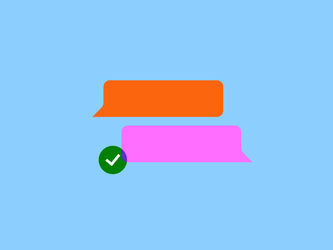
One gray check mark on WhatsApp means that the person you sent your message to hasn’t received it yet. There can be several reasons for seeing just one check mark – and why a message hasn’t been delivered yet. Something to check first: as long as there’s no clock icon next to your message, it means it was successfully sent.
What can be the cause of 1 check mark on WhatsApp?
- The receiver doesn’t have an internet connection. There’s usually nothing wrong. It could simply be that the other person doesn’t have internet access at the moment, or that their mobile data is turned off. Once they reconnect to the internet, your message will come through.
- The recipient’s phone is off, out of battery, or has shut down. When someone’s phone is off or dead, messages won’t arrive because the device can’t connect to the internet. You’ll have to wait until the person charges and turns on their phone again so it can reconnect to their network or Wi-Fi.
- You messaged a number that’s no longer in use. Still haven’t gotten a reply after a while? And it’s been long enough that you’d expect their phone to be charged again? The number may no longer be active, for whatever reason. Because WhatsApp is linked to a phone number, your message can’t be delivered if that number is no longer in use.
- You’ve been blocked by the recipient. If you’ve been blocked, your messages won’t go through. Only once the person unblocks you will your messages be delivered. Let’s hope it’s nothing personal!
What do the other check marks on WhatsApp mean?
You know what one gray check mark mean: it shows that your message hasn’t been delivered yet. Besides that one check mark, you may also see two gray or two blue check marks. Let's have a look at what they mean.
What do two blue checkmarks on WhatsApp?
Two blue check marks mean your message has not just been sent and delivered, but it's also been read by the recipient. That’s the nice thing about the two blue checks: you don’t have to wonder anymore whether your message was seen.
Can I turn off blue check marks on WhatsApp?
Yes, you can turn off the blue check marks in your WhatsApp settings. In that case, others can’t see when you’ve opened a message. This goes both ways: if you turn off your blue checks, you also can’t see if others have read your messages.
How do you turn off blue check marks on WhatsApp?
You can disable the blue check marks through your privacy settings:
- Open WhatsApp settings.
- Tap 'Privacy'.
- Turn off the slider next to 'Read receipts'.
What do two gray check marks on WhatsApp mean?
Two gray check marks mean your message has been sent and delivered. If you or the other person has turned off blue check marks, it’s also possible that the message has been read, but you just won’t be able to tell.
What does the clock icon next to my WhatsApp message mean?
The little clock means your message hasn’t been sent yet. Once you connect to a mobile network or Wi-Fi, the message will be sent, and you’ll see at least one check mark. This can also happen if WhatsApp itself is having an outage. In that case, there’s nothing to do except wait.
Want more WhatsApp tips and tricks? Read our 15 smart WhatsApp tips .
Always online with Simyo
Do you always want enough data to send your WhatsApp messages, but often run out by the end of the month? Check whether your Sim Only plan still fits your needs. With the right bundle, you’ll never miss a message again, and your contacts won’t be stuck seeing just one gray check mark. You can adjust your plan anytime in the Mijn Simyo app of op Mijn Simyo .