






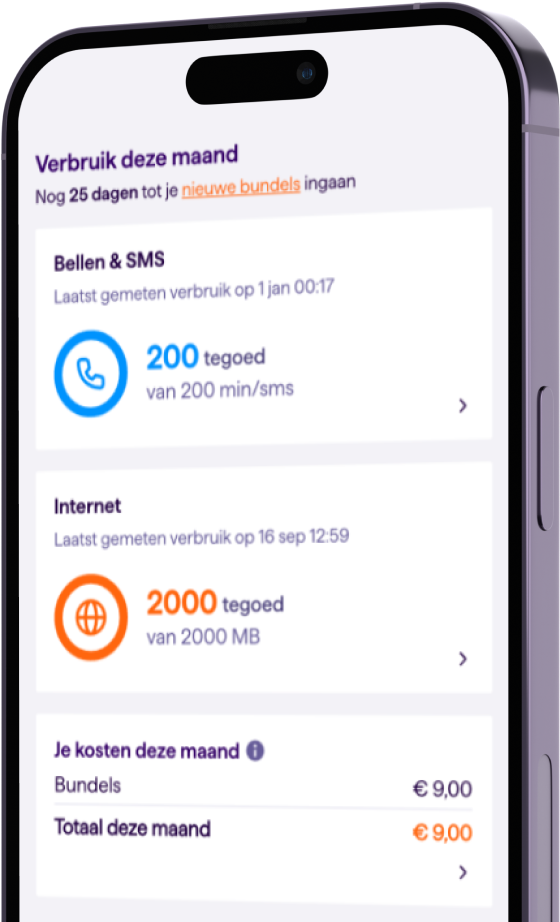
You can now easily switch between numbers to keep an eye on usage, view bills, change allowances, top up credit and much more.
Manage multiple Simyo numbers in the Mijn Simyo app
Download the app right away
for iOS or Android

- Effortlessly switch between numbers
- Track usage, invoices, and more in one account
- Order an extra mobile subscription for a family member and get a discount


That's Simyo

You are in charge

Simyo is better together
Managing multiple numbers is useful for everyone. Want to follow your child's usage, keep your household's bills clear, or let someone close to you manage your number? It is all possible.
One place for all your numbers
Do you have multiple Simyo numbers? With the Mijn Simyo app you switch between them easily. Manage your private and work number without any effort, for example.
Samen Korting
With the Mijn Simyo app you easily order an extra Sim Only, for a family member for example. Simyo arranges this automatically for you:
- Easier ordering: We already have your details, so the new contract is in your name straight away.
- Direct management: You are in control of your family member's number - usage, bills and settings, all under your supervision.
- VriendenDeal discount: Both numbers get €10 discount. Welcome to the Simyo family!
Everything in Mijn Simyo
Getting started
A few quick steps and everything is sorted. Let's begin!
1
Download the Mijn Simyo app and log in with your own mobile number and password.
2
Tap your mobile number in the top left and choose to add a new number.
3
Enter the mobile number you want to manage. Now wait until the other person accepts the management request.
4
The other person logs in to the Mijn Simyo app with their own mobile number.
5
The management request now appears and can be accepted.
6
That's it! The number can now be managed.

38x

38x
38x
38 times the best
mobile provider according to
the Consumers Association!
Question?
Answer
Can I also manage multiple numbers on the Mijn Simyo website?
Can I also manage multiple numbers on the Mijn Simyo website?
No, not yet. For now you can only manage multiple numbers with the Mijn Simyo app. We are working hard to make your Simyo experience as good as possible, and this feature will appear on the Mijn Simyo website later too. Just a little longer!
Did this help you?
Thanks for your feedback!
How does switching between accounts work?
How does switching between accounts work?
Very easily. Tap your name in the top left. A menu opens where you can choose from the numbers you manage. Tap the number you want to manage. That's it! You now see the name of the number you are managing in the top left.
Did this help you?
Thanks for your feedback!
How do I remove an account?
How do I remove an account?
You can both choose to stop the management. So if you no longer want your account to be visible, you can withdraw your permission. The person viewing along with you can also stop at any time.
Did this help you?
Thanks for your feedback!
Can I order a Prepaid number through the app?
Can I order a Prepaid number through the app?
No, for now you can only order an extra Sim Only through the app if you have a Sim Only yourself. Want to manage a Prepaid number for someone? Then you can place an order through the website. After ordering, you send a management request through the Mijn Simyo app. You then also have insight into the details of that Prepaid number.
Did this help you?
Thanks for your feedback!